Instructions
A clearer way to understand the product
This page gives a simple walkthrough of the main areas in Wealthy. The numbered markers are intentionally random visual references to simulate guided screenshots.
Quick Start
1
Open Home to review your main financial picture.
2
Add expenses first to make the monthly view more accurate.
3
Review savings and debt after your income and spending are clear.
Section 1
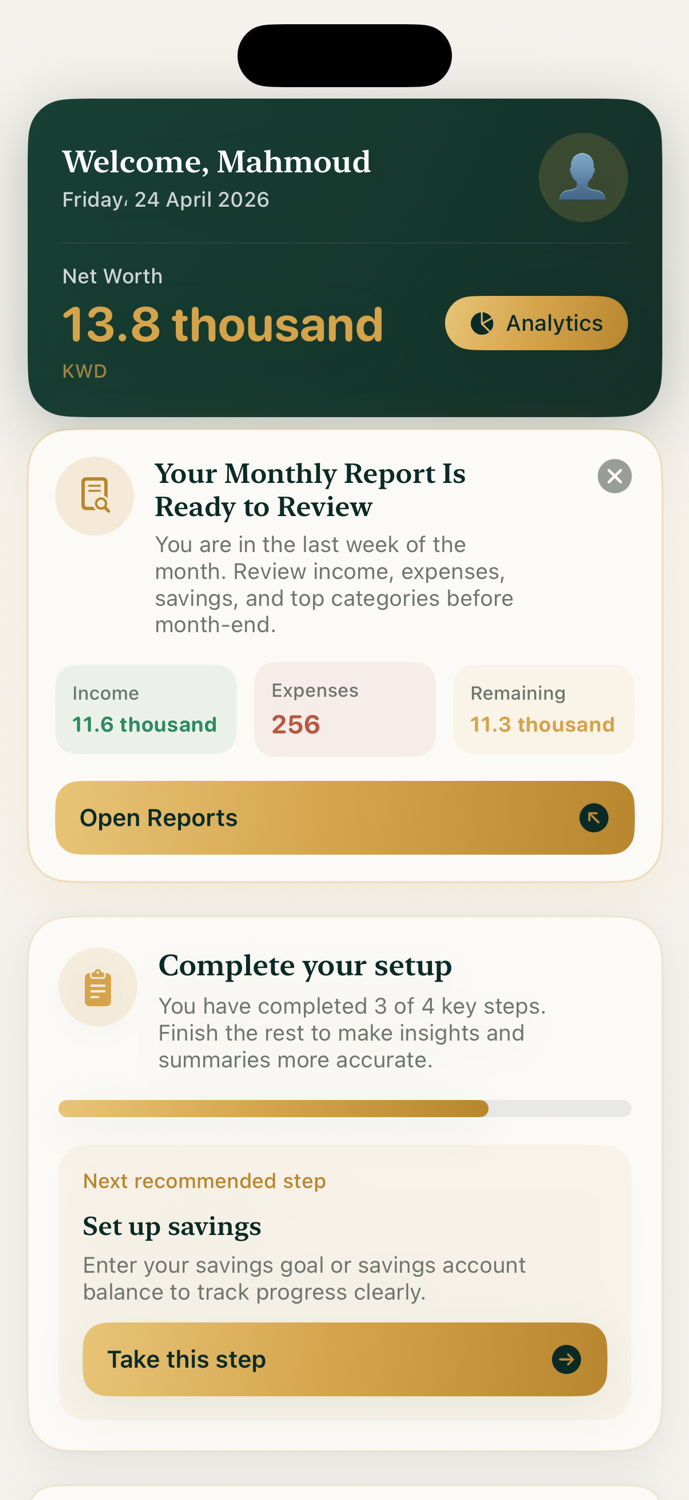
Home Dashboard
A calm overview of your most important monthly and wealth numbers.
Main summaryMonthly statusQuick view
12
37
84
Section 2
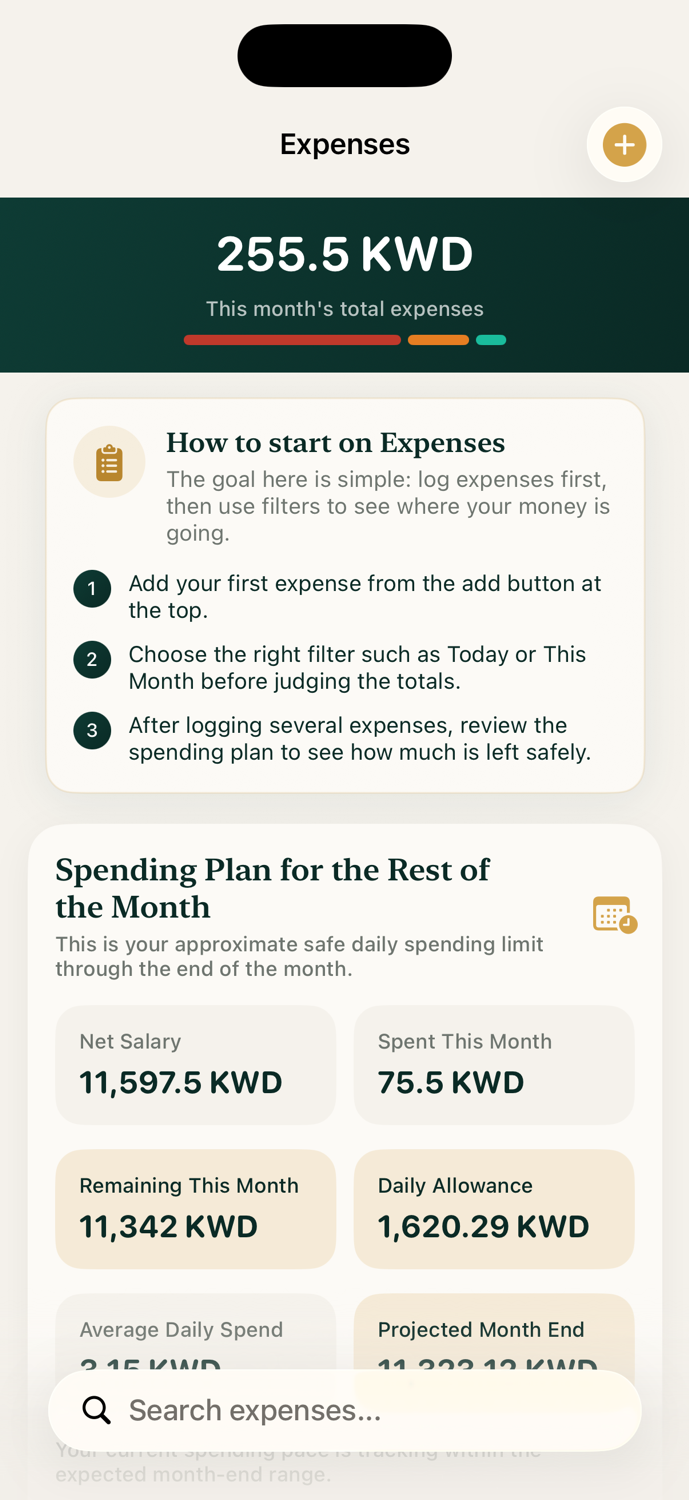
Expenses
Track daily spending and review the newest entries first with less clutter.
Newest firstCategory viewSearch ready
08
43
91
Section 3
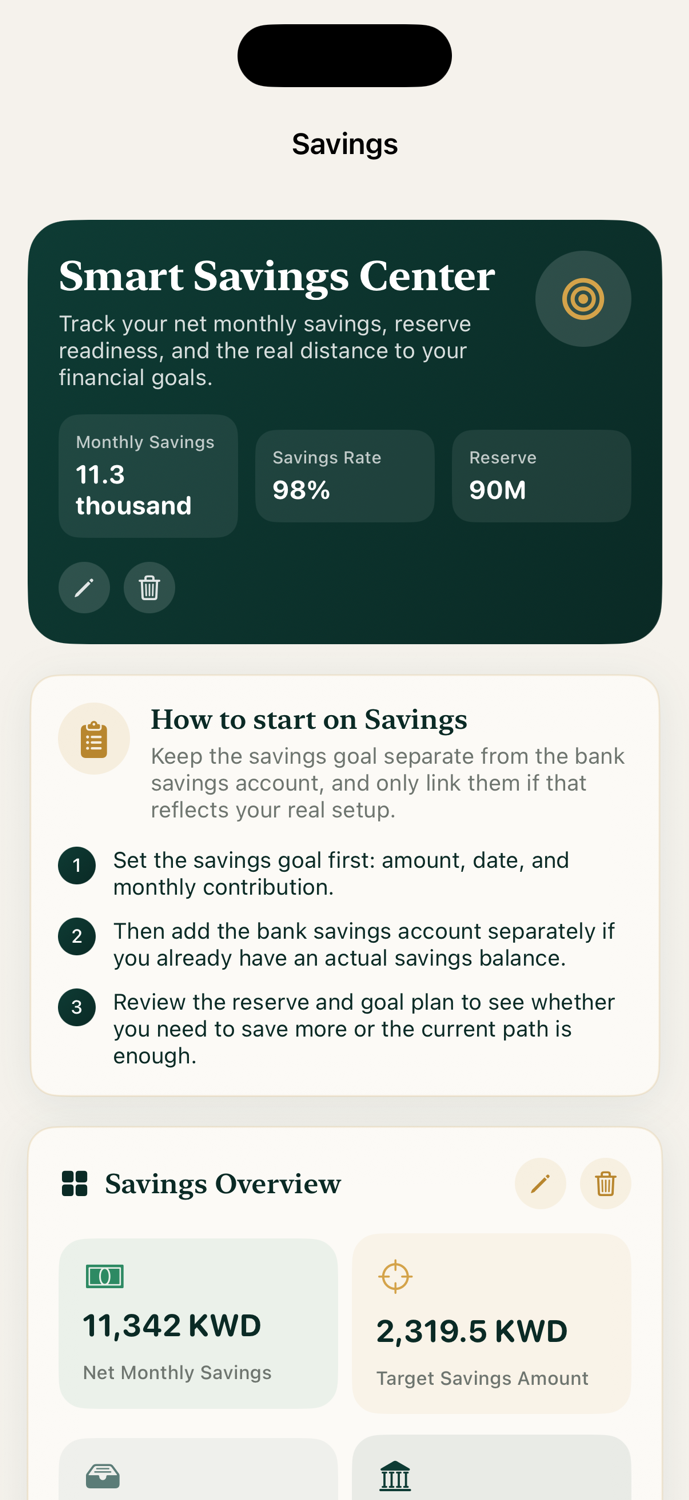
Savings
Follow your savings direction and review what remains for the month.
Monthly planReserve viewProgress focus
17
55
73
Section 4
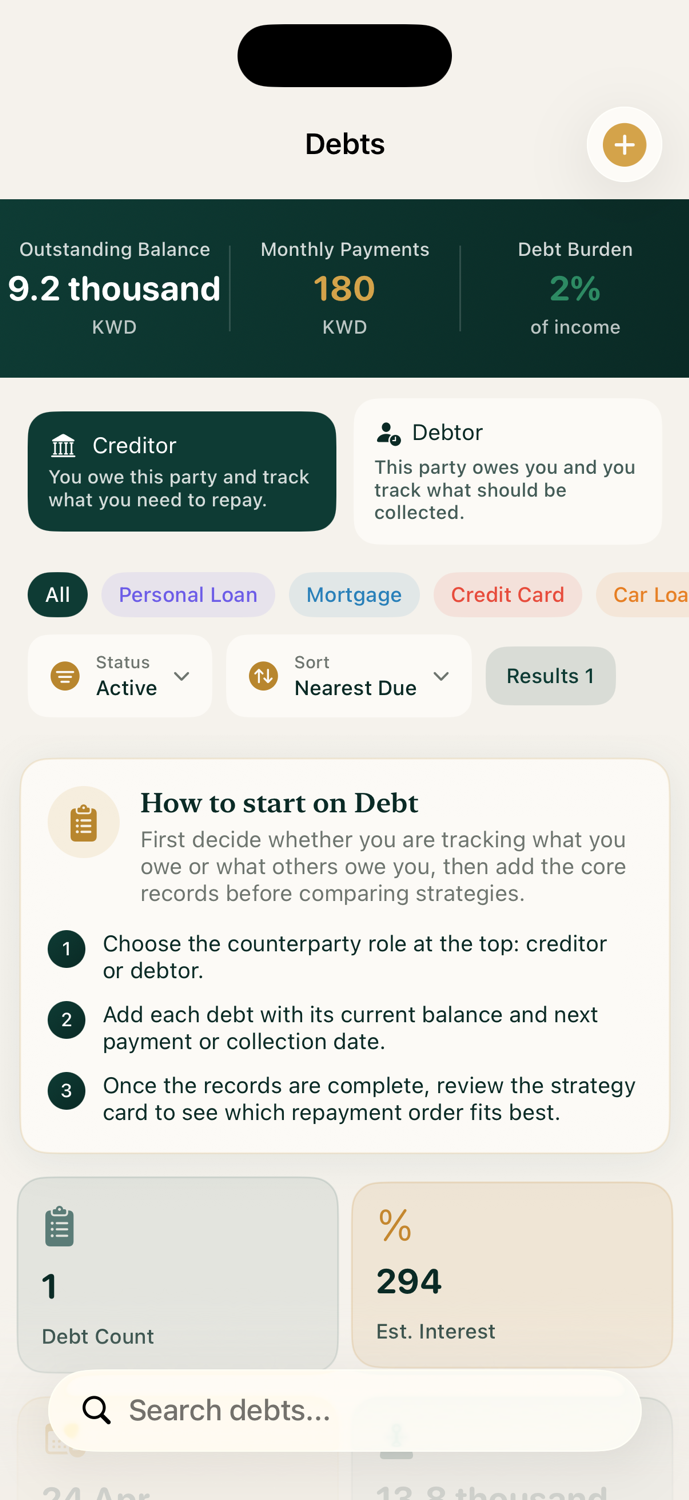
Debts & Assets
Keep obligations and owned items visible in one organized place.
Debt clarityAsset viewOne place
24
61
88